
Introduction
Is your website ranking lower than it should? The problem might be hiding inside your site.
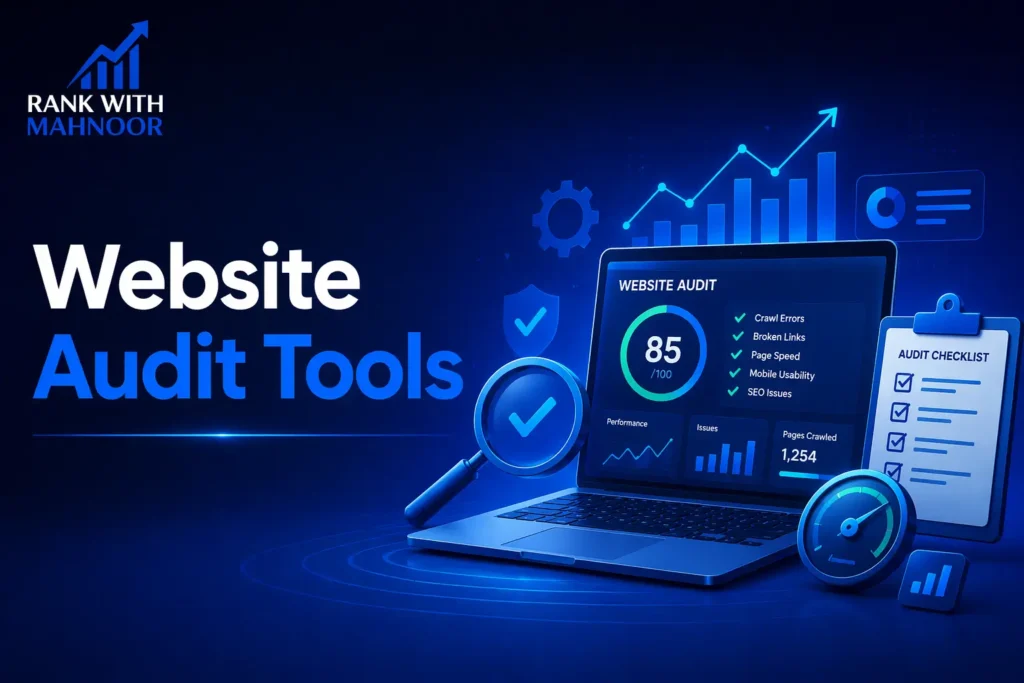
A website audit checks everything, broken links, slow pages, missing tags, crawl errors, and tells you exactly what needs to be fixed.
In 2026, running regular audits is not optional. Google’s algorithm keeps getting smarter, and even small technical issues can hurt your rankings.
This guide covers the best website audit tools, free and paid, plus a step-by-step guide to auditing your site yourself.
What Does Auditing a Website Mean?
A website audit is a full checkup of your site’s health.
It looks at three main areas:
- Technical SEO: crawl errors, broken links, sitemap issues, HTTPS
- On-Page SEO: missing meta titles, descriptions, H1 tags, thin content
- Performance: page speed, Core Web Vitals, mobile usability
Think of it like a health check for your website. Just like you visit a doctor to find hidden problems, a website audit finds hidden SEO issues before they cost you traffic.
Why Website Audits Are Important for SEO
Most websites have SEO problems they do not even know about.
Here is why audits matter:
- They find technical issues that stop Google from crawling your site
- They show on-page problems hurting your rankings
- They help you fix slow pages that drive visitors away
- They keep your site healthy after updates and changes
- They give you a clear action plan, not just guesswork
Running an audit every 3 months is a smart SEO habit. It keeps your site in top shape and ahead of competitors.
What to Look for in a Website Audit Tool
Not every audit tool checks the same things. Here are the key features to look for:
Crawling & Indexing Issues
The tool should check which pages Google can crawl and index. It should flag blocked pages, noindex tags, and sitemap errors.
On-Page SEO Analysis
Look for a tool that checks every page for missing title tags, meta descriptions, H1 tags, duplicate content, and thin pages.
Technical SEO Checks
Good audit tools scan for broken links, redirect chains, canonical tag issues, HTTPS problems, and structured data errors.
Speed & Performance Reports
The tool should show Core Web Vitals scores, LCP, INP, and CLS. These directly affect your Google rankings and user experience.
Best Website Audit Software in 2026
Here are the top tools used by SEO professionals in 2026:
1. Screaming Frog – Best for Deep Site Crawling
Screaming Frog SEO Spider is a desktop tool that crawls your website exactly like Google does.
It gives you raw, detailed data, no fluff, just facts.
Key features:
- Crawls every page and finds broken links, redirects, and duplicate content
- Checks meta titles, descriptions, H1 tags, and canonical tags
- Finds orphaned pages that have no internal links
- Integrates with Google Analytics and Search Console
- Free version crawls up to 500 URLs
Best for: Technical SEO professionals and agencies.
Pricing: Free (500 URLs). Paid version is $259/year with no crawl limit.
How to Use Screaming Frog for a Website Audit
Step 1: Download and open Screaming Frog SEO Spider.
Step 2: Enter your website URL in the search bar and click Start.
Step 3: Wait for the crawl to finish.
Step 4: Go to the Response Codes tab, fix all 404 errors first.
Step 5: Check the Page Titles and Meta Description tabs for missing or duplicate tags.
Step 6: Export the results to a spreadsheet and prioritize fixes by impact.
2. SEMrush – Best All-in-One Audit Tool
SEMrush Site Audit is not just a crawler; it connects your audit results to rankings, traffic, and competitor data.
That is what makes it different from standalone audit tools.
Top features:
- Crawls your site and gives a Site Health Score out of 100
- Groups issues into Errors, Warnings, and Notices
- Checks 140+ technical and on-page SEO factors
- Monitors Core Web Vitals and page speed for every page
- Runs scheduled weekly or monthly audits automatically
How to Do a Website Audit in SEMrush
Step 1: Go to SEMrush and click Site Audit under the Projects section.
Step 2: Enter your website domain and set your crawl limit.
Step 3: Wait for the audit to complete (usually 2-5 minutes).
Step 4: Review your Site Health Score and the Overview report.
Step 5: Fix Errors first, then Warnings, then Notices.
Step 6: Set up weekly crawls to track your progress over time.
Best for: Agencies and businesses that want an all-in-one SEO platform.
Pricing: Free plan (100 pages/month). Pro starts at $139.95/month.
3. Ahrefs Site Audit – Best for Technical SEO
Ahrefs Site Audit combines technical crawling with its powerful backlink database.
This gives you a full picture, not just what is broken, but how it connects to your link profile.
What it checks:
- On-page SEO issues: missing tags, thin content, duplicate pages
- Internal linking structure and orphaned pages
- Page speed and Core Web Vitals
- Backlink data linked directly to your audit findings
- Historical audit data so you can track improvements over time
Best for: SEOs already using Ahrefs who want audit features built in.
Pricing: Starts at $129/month. The audit is included in all plans.
4. Google Search Console – Best Free Option
Google Search Console is free and comes straight from Google. It is the most honest feedback you will get about your site.
What it shows you:
- Which pages are indexed and which are not
- Crawl errors and coverage issues
- Core Web Vitals scores from real users
- Mobile usability problems
- Which keywords bring traffic and at what position
It does not crawl your entire site like Screaming Frog, but the data it provides comes directly from Google’s systems.
Best for: Every website owner, it should be the first tool you set up.
Pricing: Completely free.
5. Sitechecker – Best for Beginners
Sitechecker is a clean, user-friendly tool built for people who are new to SEO audits.
Key features:
- Simple dashboard with easy-to-understand issue reports
- Daily site monitoring with email alerts for new issues
- On-page SEO checker for individual pages
- Rank tracking is built in
Best for: Small business owners and beginners who want simple, clear reports.
Pricing: Starts at $49/month.
6. SE Ranking – Best for Agencies
SE Ranking is built with agencies and freelancers in mind. It combines site audits with rank tracking, backlink monitoring, and client reporting.
What stands out:
- Health Score that shows exactly how much each fix will improve your score
- Crawls 200+ pages in under a minute
- White-label reports you can send directly to clients
- Easy-to-read graphs and clear explanations of each issue
Best for: SEO agencies managing multiple client websites.
Pricing: Starts at $129/month.
Best Free Website Audit Tools
You do not need to spend money to get started. Here are the best free options:
- Google Search Console: Free, accurate, and directly from Google
- Screaming Frog (free version): Crawls up to 500 URLs at no cost
- SEMrush free plan: Audits up to 100 pages per month
- Ahrefs Webmaster Tools: Free site audit for your own verified website
- Google PageSpeed Insights: Free page speed and Core Web Vitals checker
- SEOptimer: Free single-page audit with a simple grade report
How to Audit a Website for Free (Step-by-Step)
You can run a solid audit using only free tools.
Here is how:
- Set up Google Search Console and check for crawl errors and indexing issues.
- Run your site through Screaming Frog (free version) to find broken links and missing tags.
- Check your page speed with Google PageSpeed Insights.
- Use SEMrush’s free plan to get a basic site health score.
- Fix the most critical errors first, then work down the list.
How to Do a Website Audit Manually?
You can audit a website manually without any tools. It takes more time but helps you understand your site deeply.
Here is a simple manual audit process:
Step 1 – Check Your Site’s Indexing
Go to Google and type: site:yourdomain.com
This shows how many pages Google has indexed. If the number is much lower than your actual page count, you have an indexing problem.
Step 2 – Analyze On-Page SEO
Open each key page and check:
- Does it have a unique title tag under 60 characters?
- Does it have a meta description under 160 characters?
- Is there one H1 tag per page?
- Are images using alt text?
- Is the target keyword used naturally in the content?
Step 3 – Check Page Speed
Go to Google PageSpeed Insights and enter your URL.
Aim for a score above 70 on mobile. Fix large images, render-blocking scripts, and unused CSS first.
Step 4 – Review Backlinks
Use Ahrefs Webmaster Tools or Google Search Console to check your backlink profile.
Look for toxic or spammy links that could be hurting your site’s authority.
Step 5 – Fix Broken Links & Errors
Go through your pages and find any links pointing to 404 pages.
Either redirect them to a working page or remove the link. Broken links hurt both SEO and user experience.
What Is the Most Used SEO Tool?
The most widely used SEO tool in the world is Google Search Console because it is free and comes directly from Google.
For paid tools, SEMrush and Ahrefs are the top choices among SEO professionals and agencies.
Here is a quick breakdown:
• Most used free tool: Google Search Console
• Most used paid tool: SEMrush (best all-in-one platform)
• Most used for technical crawling: Screaming Frog
• Most used for backlinks + audit: Ahrefs
The best tool is the one you actually use consistently. Even a free tool used regularly beats an expensive one that sits unused.
Can ChatGPT Do an SEO Audit?
This is a question a lot of people are asking in 2026.
The short answer: ChatGPT can help, but it cannot replace a real audit tool.
What ChatGPT Can Help With
- Creating an SEO audit checklist for your team
- Explaining what a specific error means and how to fix it
- Writing optimized meta titles and descriptions
- Reviewing your content for keyword placement and readability
- Suggesting improvements to your page structure
What ChatGPT Cannot Do
- Crawl your website to find actual technical errors
- Check your real page speed or Core Web Vitals scores
- Analyze your backlink profile
- Show you real search volume or ranking data
- Monitor your site health over time
Use ChatGPT alongside a proper audit tool. Let the tool find the problems and use ChatGPT to help you understand and fix them.
Free vs Paid Website Audit Tools – Which Is Better?
The answer depends on your goals and where you are in your SEO journey.
Free tools are best when:
- You are just starting with SEO
- You have a small website with fewer than 500 pages
- You want basic issue detection without spending money
Paid tools are worth it when:
- You manage a large website with hundreds of pages
- You need detailed reports and scheduled crawls
- You work with clients and need professional reporting
- You want to connect your audit data with keyword and competitor research
Start free. Move to paid when your website and business grow.
How to Choose the Right Audit Tool for Your Website
Not sure which tool is right for you? Use this quick guide:
- You are a beginner: Start with Google Search Console + Screaming Frog free version
- You are a blogger: Use Ahrefs Webmaster Tools (free for your own site)
- You are a small business: Try the SEMrush free plan or Sitechecker
- You are an SEO freelancer: Use Screaming Frog paid + Google Search Console
- You are an agency: SE Ranking or SEMrush Pro for client management
- You need deep technical crawls: Screaming Frog or Ahrefs Site Audit
Pro Tips to Get the Most Out of Any Audit Tool
- Fix errors first; errors have the biggest impact on rankings
- Always connect Google Search Console to your audit tool for real data
- Do not just run one audit; schedule them monthly or quarterly
- Focus on your most important pages first: homepage, service pages, top blog posts
- After fixing issues, re-crawl your site to confirm the fixes worked
- Use Google PageSpeed Insights separately for detailed page speed analysis
- Combine tools: use Screaming Frog for crawling and SEMrush for on-page checks
Final Thoughts
A website audit is one of the smartest things you can do for your SEO.
It finds the hidden problems holding your site back and gives you a clear path to fix them.
Start with free tools like Google Search Console and Screaming Frog. As your website grows, upgrade to SEMrush or Ahrefs for deeper insights.
The most important thing is not which tool you pick, but that you actually run the audit and fix what you find.
Need help auditing your website? Visit rankwithmahnoor.com and get a free site audit today.
FAQs
Q1. What does auditing a website mean?
A website audit checks your site for SEO issues like broken links, slow pages, missing tags, and crawl errors. It helps you find and fix problems that hurt your Google rankings.
Q2. How do I audit a website for free?
Use Google Search Console to check indexing and crawl errors. Then run Screaming Frog’s free version (up to 500 URLs) to find broken links and missing tags. Add Google PageSpeed Insights to check your speed scores.
Q3. Is Screaming Frog free?
Yes. The free version crawls up to 500 URLs and covers most basic audit needs. The paid version costs $259/year and removes the crawl limit, adding advanced features like scheduled crawls and API integrations.
Q4. Can ChatGPT do an SEO audit?
ChatGPT can create checklists, explain errors, and help fix content, but it cannot crawl your site or pull real data. Use it alongside a proper audit tool like SEMrush or Screaming Frog.
Q5. How often should I audit my website?
At least once every 3 months. Audit more often if you recently redesigned your site, migrated to a new platform, or noticed a sudden drop in traffic or rankings.