

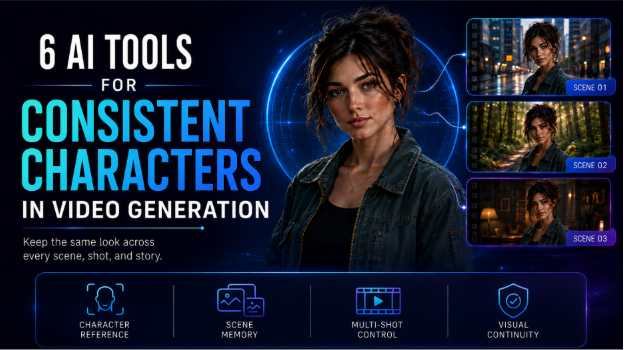
Creating one convincing AI video character is no longer the hardest part. The real challenge is keeping that person recognizable when the camera angle, location, lighting, expression, or outfit changes.
A recent human evaluation examined 700 videos created from 100 screenplay prompts and scored them across 16 measures. The scale of the test shows how seriously video creators now treat continuity across complete scenes, rather than judging one attractive clip in isolation.
The tools below solve character consistency in different ways. Some remember decisions across a full project. Others depend on trained identities, saved characters, starting frames, or several visual references.
Table of Contents
- The best tools at a glance
- How we evaluated the tools
- Comparison table
- Invideo Agent Two
- Vidu
- Artflow AI
- DomoAI
- OpenArt
- Kaiber
- Frequently asked questions
- Conclusion
The best tools at a glance
Invideo Agent Two is the strongest option for creators working across many scenes, episodes, or campaign videos. It keeps project context, character details, locations, visual rules, and production notes connected instead of treating each clip as an unrelated task.
Vidu is a practical choice for short scenes that need several character or object references. Artflow AI suits recurring actors because users can train a reusable identity and place it inside new scenes. DomoAI works especially well for illustrated characters, anime projects, and motion-guided video.
OpenArt is useful when a creator needs to save and manage several characters across image and video work. Kaiber offers access to several generation models and supports visual references, character labels, and motion references.
The main difference is simple:
- Project memory works best for longer productions.
- Trained identities work well for a recurring cast.
- Multiple references help with short controlled scenes.
- Starting frames improve identity inside individual clips.
- Motion references help preserve movement and visual style.
How we evaluated these tools
We compared each platform using five practical points:
- Character identity across separate clips
- Control over clothing, hairstyle, body shape, and props
- Ease of creating and reusing references
- Support for scenes with more than one character
- Pricing and credit limits
We also considered whether each platform supports a full production or only solves one part of the process. This matters when comparing Agentic AI & Generative AI. A generation model may create a good clip, while an agentic system can also plan scenes, remember decisions, coordinate tasks, and review continuity.
Comparison table
| Tool | Best for | Consistency method | Starting price |
| Invideo Agent Two | Films, series, and campaigns | Project memory, character sheets, and shared context | Free access available; paid plans from $17 monthly with annual billing |
| Vidu | Short scenes with several visual subjects | Up to seven reference images and saved references | Free credits available; paid options vary |
| Artflow AI | Recurring trained actors | Reusable AI Actors | Free plan; Basic from $7.50 monthly |
| DomoAI | Anime and illustrated characters | Character images, keyframes, and motion guidance | Free trial; Basic from $6.99 monthly with annual billing |
| OpenArt | Managing several recurring characters | Saved consistent characters and personalized models | Starter from $14 monthly |
| Kaiber | Music visuals and stylized sequences | Visual references and model-based controls | Starter from $10 monthly |
1. Invideo Agent Two
Invideo Agent Two approaches character consistency as a production-wide problem. Its Context stores the facts that must remain true throughout a project, such as appearance, wardrobe, locations, lighting rules, and visual style. Individual Briefs can then hold the needs of each scene, episode, or campaign video.
Creators can build multi-angle character sheets, lock approved versions, and attach those references to later generations. The same system can track costume changes, props, environments, and differences between story moments. A correction made to the main character sheet can also guide later shots, rather than forcing the creator to repair every clip separately.
The platform gives users access to more than 200 image, video, and audio models. Creators can manage Kling AI video generation within the same broader production process instead of building every shot in a separate workspace.
Key features
- Long-term project context
- Multi-angle character and location sheets
- Expert agents for production roles
- Model selection for individual shots
Best for: Filmmakers, agencies, studios, and brand teams.
Use cases: Short films, series, microdramas, brand films, product stories, and connected ad campaigns.
Where it falls short: The setup process requires more planning than a simple reference image workflow.
Pricing: Annual pricing currently starts at $17 per month for Plus. Higher plans provide more credits, storage, and generation capacity.
2. Vidu
Vidu uses a direct reference-based approach. Its Reference to Video mode allows creators to upload visual examples of characters, objects, and scenes. Users can include several angles of the same person, which gives the model more information about facial structure, clothing, and body shape.
The platform supports up to seven image references. It also includes My References, where creators can save characters, props, and environments for later work. This makes it easier to reuse an approved subject without uploading the same files for every generation.
Key features
- Up to seven visual references
- Saved characters, props, and scenes
- First and last frame control
- General and anime-focused generation
Best for: Creators making short scenes with several important visual elements.
Use cases: Character clips, illustrated stories, product scenes, social videos, and simple interactions.
Where it falls short: The platform focuses mainly on generation. It does not manage the full story, wardrobe logic, or scene history in the same way as a project memory system.
Pricing: Vidu provides trial and bonus credits. Generation cost depends on the selected model, resolution, duration, and reference mode. For example, official platform pricing lists Vidu Q3 Mix reference video at $0.12 per second.
3. Artflow AI
Artflow AI builds its consistency workflow around reusable Actors. A creator trains an Actor from personal reference images, then selects that identity when generating new images or videos. Artflow states that an Actor can remain consistent across images, designs, and video work.
Its Allium Video model allows creators to mention a saved Actor directly inside the prompt. The identity can remain present throughout the clip, even when the person does not appear in the opening frame. Artflow has also added support for two Actors in the same generation, which is useful for dialogue- and relationship-based scenes.
Key features
- Train and save reusable Actors
- Add Actors directly through prompts
- Support for two recurring people
- Image and video generation in one platform
Best for: Creators who need a small cast of recurring people.
Use cases: Presenters, dialogue scenes, educational videos, short stories, and creator-led campaigns.
Where it falls short: Actor training is a separate paid cost. Complex full-body action can still need repeated generations and close review.
Pricing: A free plan includes limited credits. Basic starts at $7.50 per month, while Actor training costs vary by plan.
4. DomoAI
DomoAI is a strong fit for illustrated characters, anime work, and motion-led content. Its Character to Video workflow animates a selected character, while Frames to Video gives creators control over important visual moments across a sequence.
Creators can also guide movement with a reference video. This is helpful when the character should follow a dance, gesture, performance, or camera pattern. DomoAI says its gaming and character tools can maintain original characters across different scenes and animations.
Key features
- Character to Video generation
- Frames to Video control
- Motion-guided animation
- Strong support for illustrated styles
Best for: Anime creators, illustrators, game artists, and music creators.
Use cases: Animated character series, music clips, game promotions, visual stories, and social videos.
Where it falls short: Small clothing details and facial features may soften during complex movement. It is better suited to individual sequences than a complete production with detailed story memory.
Pricing: A free trial is available. Annual plans currently begin at $6.99 per month for Basic, followed by Standard at $19.59 and Pro at $48.99.
5. OpenArt
OpenArt allows users to create, save, and reuse defined characters across different visual projects. A character can be based on text, uploaded references, or personalized model training. The saved identity can then appear in new images, social content, branded stories, and video work.
The platform also supports character replacement, which can help when a generated scene has suitable framing or motion but the person needs to be changed. OpenArt provides access to more than 100 image, video, and audio models, so creators can test one identity through several visual approaches.
Key features
- Reusable consistent characters
- Personalized character models
- Character replacement
- Access to more than 100 generation models
Best for: Creators and agencies managing several character identities.
Use cases: Brand mascots, digital presenters, story characters, campaign visuals, and client projects.
Where it falls short: Consistency may change when moving between different underlying models. The large number of choices can also require more testing.
Pricing: Starter costs $14 per month and supports about 13 consistent characters. Higher plans increase credits, character capacity, and commercial rights.
6. Kaiber
Kaiber combines several image, video, audio, and editing workflows in one creative workspace. Character consistency depends on the model selected inside Kaiber. For example, its Seedance 2.0 workflow accepts image, video, and audio references, while image references can guide appearance, clothing, colors, and scene details.
Kaiber also provides Kling 3.0 workflows with starting frame control and named character labels. Creators can describe a person once, assign a clear label, and refer to that label across several shots in the same prompt.
Key features
- Access to several video models
- Image, video, and audio references
- Starting frame control
- Character labels for multi-shot clips
Best for: Musicians, visual artists, and creators building stylized video sequences.
Use cases: Music videos, cinematic social content, visualizers, short stories, and experimental films.
Where it falls short: Kaiber does not apply one universal consistency system across every model. Creators must understand the controls and limits of the model chosen for each clip.
Pricing: Starter costs $10 monthly, Creator costs $29, and Pro costs $99. Annual billing lowers the effective monthly price.
Frequently asked questions
What does character consistency mean in AI video?
Character consistency means keeping the same recognizable person across different shots and scenes. It includes more than the face. Hair, age, body shape, clothing, accessories, movement, and emotional behavior should also remain connected. A character may appear stable inside one clip but still change when a new generation begins.
Which AI tool is best for a complete film?
Invideo Agent Two is the strongest fit in this list for a complete film or series. It stores the wider project context and connects character sheets, locations, scene briefs, visual rules, and production tasks. This makes it better suited to long projects than tools that depend only on the references attached to one clip.
How many character reference images should I prepare?
A useful starting set includes a clear face view, a full body view, and several side angles. Invideo recommends two to six images per character, while Vidu supports up to seven visual references. More images can help when clothing, height, props, or facial details must remain accurate.
Can AI keep two characters consistent in one scene?
Yes, although scenes with physical contact remain difficult. Artflow supports two trained Actors, while Vidu can combine several references. For more complex contact scenes, creators may need separate character sheets plus a visual reference showing the exact body arrangement.
Can these tools preserve clothing and accessories?
They can, but clothing frequently requires visual cues of its own. Include clear full-body images and close views of important details. For story changes, such as removing a jacket or adding an injury, create a separate character state rather than asking one reference to cover every stage of the story.
Are free plans enough for professional character videos?
Free access is useful for learning the interface and testing a character. A professional project usually needs several attempts per scene, alternate takes, higher resolution, and longer durations. Paid plans also tend to provide more character slots, faster processing, and wider usage rights.
Final Thoughts
The best tool depends on the size and structure of the project. Vidu works well when several references must guide a short scene. Artflow AI suits creators who want trained recurring actors. DomoAI is a practical choice for anime and illustrated motion. OpenArt helps manage several saved identities, while Kaiber provides flexible model-based workflows.
Invideo Agent Two fits a different level of production. It is designed for stories and campaigns where the character must remain connected across many shots, scenes, agents, and creative decisions.
Before choosing a platform, test the same difficult sequence in each one. Include a close view, a full body movement, a second person, and a location change. The best tool is the one that preserves the identity while requiring the least repair work.
Which AI tool would you trust to keep the same character consistent across an entire story?