
You could have the best content in your industry. Perfect keywords. A fast, mobile-friendly website.
But if nobody is linking to you, Google does not trust you.
And without Google’s trust, you will not rank.
That is why backlink tools are one of the most important investments any USA business can make in its SEO strategy in 2026.
In this complete guide, you will learn exactly what a backlink checker is, which tools are worth using, and how to use backlink data to grow your authority and outrank your competitors.
What Is a Backlink Checker and Why Do You Need One?
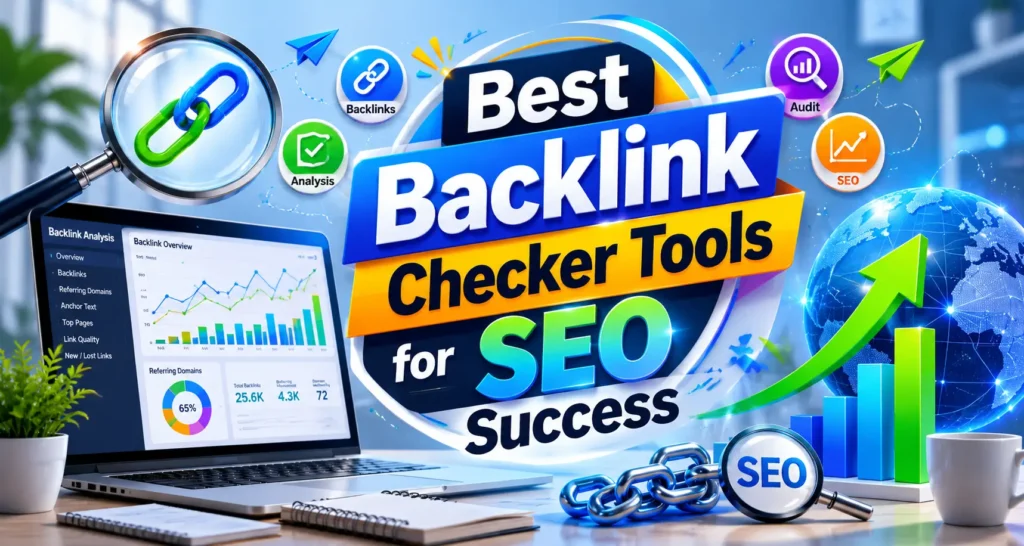
It is an SEO tool that shows every website linking to your domain including the most linked-to pages, the top referring domains, and the growth or decline of its link profile over time.
In simple terms it is a tool that tells you who is vouching for your website online.
Every link from another website to yours is called a backlink. Google treats backlinks like votes. A link from a trusted, relevant website tells Google your content is worth ranking. A link from a spammy, irrelevant site can actually hurt your rankings.
Backlink data shows who links to your site, how strong those links are, and whether any of them could help or harm your rankings. Backlinks remain a major ranking factor in Google’s search systems, so monitoring them is just as important as tracking your keywords or content performance.
Without a backlink tools, you have no visibility into this critical part of your SEO. You cannot see what is helping you. You cannot spot what is hurting you. And you cannot find the link opportunities your competitors are using to outrank you.
With the right free tools, you can check new and lost backlinks, review anchor text, compare competitor link profiles, and identify spammy domains before they affect your authority.
A checker gives you all of this in one place.
How a Backlink Checker Improves Your SEO Rankings
Using a backlinks checker is not just about curiosity. It directly impacts your ability to rank higher on Google.
Here is exactly how:
It shows which links are helping you rank
Not all backlinks contribute equally. A backlinks checker identifies your highest-authority links the ones passing the most link equity to your pages. Knowing which sites link to you helps you prioritise relationship-building and content creation efforts.
It identifies toxic links before they penalise you
Monitor Backlinks includes a feature for identifying and disavowing spam links, which makes it a useful backlink audit tool for SEO. You can review suspicious links, mark them for disavowal, and generate a disavow file to submit to Google.
Toxic backlinks from spammy sites can trigger manual Google penalties that drop your rankings significantly. A backlinks checker finds them so you can remove or disavow them before damage occurs.
It reveals competitor link strategies
One of Ahrefs standout features is its ability to perform competitor backlink analysis. You can enter any domain and see its complete backlink profile, including the most linked-to pages, the top referring domains, and the growth or decline of its link profile over time.
When you know exactly which sites link to your competitors, you have a ready-made list of link building opportunities to target for your own site.
It tracks link building progress
If you are actively building links through guest posting, digital PR, or outreach, a backlinks checker tracks every new link earned confirming your efforts are working and showing where momentum is building.
It finds broken link opportunities
Ahrefs includes a broken backlinks checker as a free feature within its Site Explorer tool. You can identify broken pages on any website that still have backlinks pointing to them, which opens up opportunities for broken link building a highly effective link acquisition strategy.
Top Backlink Checker Tools for USA Businesses in 2026
The best backlinks tools in 2026 depend on how serious your SEO work is and how deeply you need to analyse backlinks.
Here is a breakdown of every major tool worth knowing about.
Ahrefs
Ahrefs is the best-known SEO suite with the largest market share. It is also believed to be the most reliable platform for link builders 68.1% of respondents who took part in a State of Link Building survey consider Ahrefs the most accurate and comprehensive backlink data provider. Its live index holds about 493 billion pages, 35 trillion external and 29 trillion internal backlinks from 494 million domains. The data gets refreshed every 15 to 30 minutes.
Ahrefs is the gold standard for professional backlink analysis. Best for: agencies, SEO professionals, and serious business owners who need the most accurate data available.
SEMrush
SEMrush seamlessly integrates with Google Search Console and Google Analytics, pulling real-time backlink data directly into its reports. This helps users track backlinks, referral traffic, and link performance in one dashboard, making SEO monitoring much more efficient. SEMrush is not just a backlinks checker it is a complete SEO and link-building solution. With its outreach automation, toxic link detection, and backlink gap tool, it is an ideal choice for those looking to actively build and manage high-quality backlinks.
Moz Link Explorer
Moz provides Domain Authority and Page Authority scores the most widely recognised metrics for measuring link quality. Best for: beginners and small USA businesses wanting simple, understandable link metrics.
Google Search Console
Start with Google Search Console if you are new, then move to a paid platform when you need more complete backlink data, competitor research, and monitoring.
Free, accurate, and directly connected to how Google sees your site. Every website owner should have Google Search Console set up before using any other backlink tool.
Majestic
Majestic is best for deep link quality metrics.
Majestic offers Trust Flow and Citation Flow unique metrics that measure the quality and quantity of links independently. Excellent for evaluating the true authority of any website linking to you.
SE Ranking
A more affordable alternative to Ahrefs and SEMrush that still provides comprehensive backlink data, competitor analysis, and link monitoring. Best for: small USA businesses and freelancers wanting paid tool functionality without a large budget.
Ubersuggest
A beginner-friendly, partly free backlinks checker that provides basic link data and competitor insights. Best for: bloggers and small business owners just starting to learn SEO.
Free vs Paid Backlink Checker Tools | Which Is Right for You?
Free tools are great for spot-checks.
But knowing when to use free versus paid tools is one of the most important decisions for USA businesses managing their SEO budgets.
Free Backlink Checkers | Best For:
- Beginners checking their backlinks for the first time
- Quick competitor spot-checks before a meeting or proposal
- Verifying whether a specific website has linked to you
- Website owners who publish infrequently and have simple link profiles
SEO Review Tools is one of the most convenient free backlinks checkers for quick backlink profile audits. It requires no login, loads fast, and shows essential data such as anchor text distribution, link type, and basic link authority metrics.
Paid Backlink Checkers | Best For:
- Businesses actively building links and needing accurate real-time data
- SEO agencies managing multiple client websites simultaneously
- Companies in competitive markets where link strategy is a primary ranking differentiator
- Anyone needing competitor backlink analysis and link gap identification
Ahrefs, Semrush, and Majestic remain top choices for stronger backlink intelligence, while Google Search Console, SE Ranking, Moz, and Ubersuggest each make sense for different budgets and skill levels.
The practical recommendation for most USA businesses:
Start with Google Search Console free and essential. Add Ahrefs or SEMrush when you are ready to scale your link building strategy and need competitive intelligence.
How to Use a Backlink Checker Step by Step
Running your first backlink audit is straightforward. Here is the exact process.
Step 1: Start with Google Search Console
Log in to Google Search Console. Navigate to Links in the left sidebar. Under External Links, you will see your top linked pages, top linking sites, and top linking text. This is your baseline free, accurate, and directly from Google.
Step 2: Run a Full Audit in Your Chosen Tool
Enter your domain into Ahrefs, SEMrush, or your chosen backlinks checker. Let the tool generate your complete backlink report. This may take a minute for larger websites.
Step 3: Review Your Total Backlink Count and Referring Domains
Your total backlinks number includes every link pointing to your site. Your referring domains count shows how many unique websites link to you. Referring domains is the more important metric 100 links from 100 different websites is far more valuable than 100 links from one website.
Step 4: Check Your Anchor Text Distribution
Review the text used in links pointing to your site. A healthy anchor text profile includes: your brand name, your domain URL, generic terms like “click here” or “read more,” and a small percentage of keyword-rich anchors. Over-optimised anchor text too many exact-match keyword anchors can trigger Google penalties.
Step 5: Identify New and Lost Links
Most backlinks checkers show links you have recently gained and recently lost. Monitor this monthly. Lost links mean an opportunity to reach out and recover authority you previously had.
Step 6: Export and Document Your Findings
Export your backlink data to a spreadsheet. Track your referring domain count, domain authority distribution, and toxic link score every month. This creates a historical record of your link profile growth over time.
What to Look for When Analysing Your Backlinks
Not all backlinks deserve equal attention. Here is what to evaluate when reviewing your link profile.
Dofollow vs Nofollow Links
Dofollow links pass link equity and directly support your rankings. Nofollow links do not pass equity but still bring traffic and brand exposure. A healthy link profile includes both a profile with only dofollow links can look unnatural to Google.
Domain Authority of Linking Sites
A link from a website with high domain authority carries far more weight than a link from a new or low-authority site. Use Moz’s DA metric or Ahrefs’ Domain Rating to evaluate the quality of your linking domains.
Relevance of Linking Websites
A link from a website in your industry is worth more than a link from an unrelated site. Relevance signals to Google that your content is genuinely recognised as valuable within your specific field.
Anchor Text Quality
Review the exact words used to link to you. Keyword-rich anchors are valuable but should not make up more than 5 to 10% of your total link profile. Brand name and URL anchors should dominate.
Link Placement
Links placed within the main content body of a page pass more authority than links in footers, sidebars, or author bios. When evaluating links, check where on the linking page your link appears.
Spam Score
Most backlinks checkers assign a spam score to each linking domain. Links from domains with high spam scores may be harming your rankings rather than helping them.
How to Spy on Competitor Backlinks Using a Backlink Checker
Competitor backlink analysis is one of the most valuable activities any USA business can do for its SEO. Here is the exact process.
Step 1: Identify Your Top 3 to 5 Competitors
Choose competitors who consistently outrank you for your target keywords. These are the businesses whose link strategies you need to understand and match.
Step 2: Enter Their Domain into Your Backlink Checker
You can enter any domain and see its complete backlink profile, including the most linked-to pages, the top referring domains, and the growth or decline of its link profile over time.
Step 3: Find Their Highest-Authority Links
Sort competitor backlinks by domain authority. Identify the top 20 to 30 most authoritative sites linking to them. These are your priority link building targets.
Step 4: Use the Backlink Gap Tool
SEMrush is a complete SEO and link-building solution with its backlink gap tool.
The backlink gap tool shows which websites link to your competitors but not to you. These sites have already demonstrated willingness to link to content in your industry making them warm outreach prospects.
Step 5: Analyse Their Best-Performing Pages
See which of your competitor’s pages attract the most backlinks. This reveals what type of content earns links in your niche giving you a content creation roadmap built on real link-building data.
Step 6: Reach Out
Contact the websites linking to your competitors. Offer your content as a resource. Propose a guest post. Suggest a collaboration. These outreach efforts, informed by real backlink data, have significantly higher success rates than cold link building.
How to Remove Toxic Backlinks Found by Your Backlink Checker
Finding toxic backlinks is half the battle. Removing them is the other half.
Step 1: Identify Toxic Links
Run a full backlink audit in SEMrush or Ahrefs. Filter by spam score any linking domain with a very high spam score warrants investigation.
Step 2: Evaluate Each Suspicious Link
Not every low-authority link is harmful. Review each flagged link manually. Ask: Is this site relevant? Does it have real content? Is it associated with known spam networks?
Step 3: Attempt Manual Removal
For confirmed toxic links, find the website owner’s contact information and request removal of the link. Document every outreach attempt with dates and responses.
Step 4: Use the Google Disavow Tool
For links that cannot be removed manually, use Google’s Disavow Tool in Google Search Console. Submit a disavow file listing the domains or specific URLs you want Google to ignore.
Step 5: Recheck After Disavow
Wait 4 to 6 weeks after submitting your disavow file. Run another backlink audit to confirm the toxic links are no longer influencing your domain’s spam metrics.
Step 6: Monitor Ongoing
A backlink checker gives you a moment-in-time report a monitoring tool becomes your early-warning system for link equity, so hard-earned authority does not disappear without you noticing.
Set up automated link monitoring alerts in your chosen backlink checker. This ensures toxic links are caught and dealt with quickly before they accumulate and damage your rankings.
How Rank With Mahnoor Uses Backlink Checkers to Grow Your Authority
At Rank With Mahnoor, backlink analysis is not a quarterly task. It is a core part of every client’s monthly SEO workflow.
Here is exactly what we do:
- Monthly backlink audits using industry-leading tools to track every new, lost, and toxic link on your site
- Competitor backlink gap analysis to identify the exact link opportunities your rivals are using
- White-hat link building through guest posting, digital PR, and broken link reclamation
- Toxic backlink identification and Google Disavow Tool management to protect your rankings
- Anchor text analysis to ensure your link profile looks natural and avoids over-optimisation penalties
- Referring domain growth tracking with month-over-month reporting on authority increases
- Full integration of backlink strategy with on-page SEO and content planning for compounding results
- Transparent monthly reporting showing exactly how your domain authority is growing
Backlinks are still one of the strongest ranking signals Google uses in 2026. Businesses that monitor, build, and protect their link profiles consistently outrank those that ignore this critical SEO dimension.
Ready to build a stronger link profile? Contact Rank With Mahnoor today.
Frequently Asked Questions
Q1: What is a backlink checker?
It is an SEO tool that shows every website linking to your domain including link quality, anchor text, and domain authority helping you build and protect your link profile.
Q2: Which is the best free backlink checker in 2026?
Google Search Console is the best free option for checking your own backlinks. Ahrefs and SEMrush offer free limited versions with additional paid features for deeper analysis.
Q3: How often should I use a backlink checker?
Run a full backlink audit at least once a month. For active link building campaigns, check weekly to monitor new links and identify any toxic links quickly.
Q4: Can a backlink checker show competitor backlinks?
Yes. Tools like Ahrefs, SEMrush, and Moz let you enter any competitor’s domain to see their full backlink profile revealing link opportunities you can target for your own site.
Q5: What are toxic backlinks and how do I find them?
Toxic backlinks come from spammy or penalised websites. A backlink checker assigns spam scores to each link and the Google Disavow Tool lets you remove harmful ones that hurt your rankings.