
Your content is great. Your keywords are researched. Your website looks good.
But you are still not ranking on Google.
The problem is probably not your content. It is something most business owners never check, technical SEO issues.
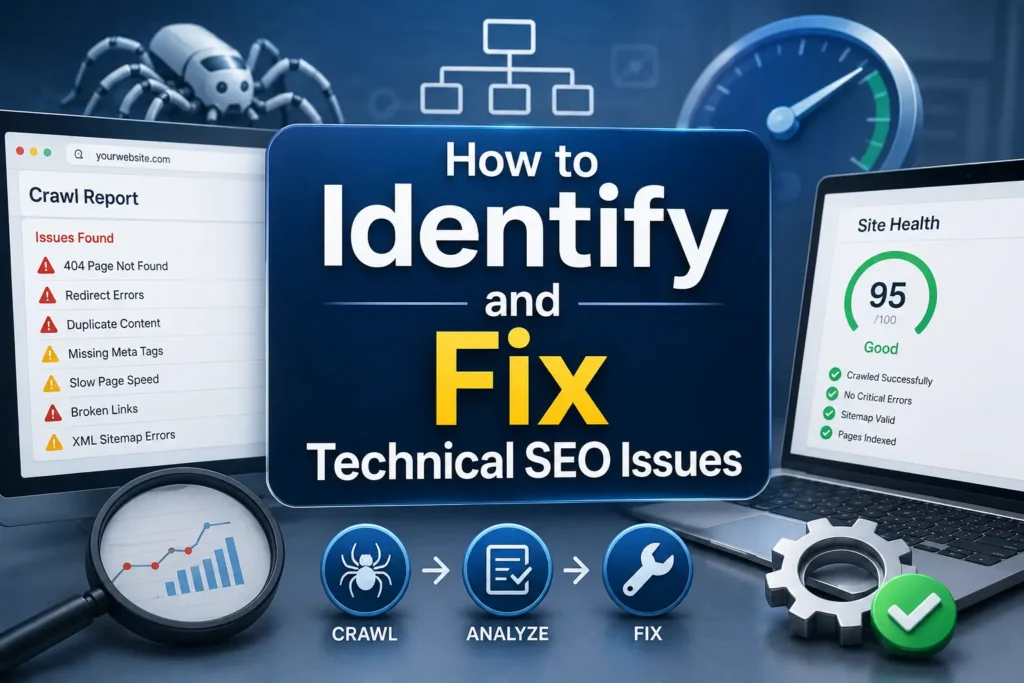
These are hidden problems that stop Google from properly crawling, indexing, and ranking your pages. And they are silently killing your rankings every single day.
In this guide, you will learn exactly what technical SEO issues are, how to find them fast, and how to fix them step by step.
What Are Technical SEO Issues?
Technical SEO errors prevent Google from properly crawling, indexing, and ranking your pages.
Think of your website like a warehouse. Your content is the inventory inside the products people want. But technical SEO issues are the cracked foundations, jammed doors, and broken lighting. Everything else crumbles if the structure fails first. Googlebot arrives like a delivery truck. It needs clear paths, fast access, and accurate maps. Anything less and your inventory sits unseen forever.
Technical SEO covers everything related to your website’s backend performance how fast it loads, how Google navigates it, whether it is secure, and whether all your pages are accessible and indexable.
Many websites struggle to get the visibility they need because of technical issues. From broken links to slow load times and everything in between, simple and complex tech issues prevent search engines from crawling, understanding, and indexing webpages properly. And this can translate to missed opportunities in search.
The good news: most technical SEO issues are fixable. You just need to know where to look.
Most Common Technical SEO Issues on Websites
Before fixing anything, you need to know what you are dealing with.
Here are the most common technical SEO issues found on USA websites:
Crawl Errors
Google cannot access certain pages on your site. These pages will never rank, no matter how good the content is.
Broken Links (404 Errors)
Broken internal or outbound links, commonly known as 404 errors, create a frustrating user experience and send negative signals to search engines.
Slow Page Speed
A slow website frustrates users and fails Google’s Core Web Vitals scores both directly suppressing rankings.
Duplicate Content
Duplicate content confuses search engines. When multiple pages have the same or very similar content, Google does not know which one to rank and often ignores both.
Missing or Wrong Canonical Tags
Without proper canonical tags, Google cannot identify your preferred page version and splits ranking signals across duplicate URLs.
No HTTPS or SSL Issues
Sites without HTTPS are marked as “Not Secure” by browsers and receive lower trust signals from Google.
Mobile Usability Errors
Pages that break on mobile devices get suppressed under Google’s mobile-first indexing rules.
Missing XML Sitemap
Without a sitemap, Google may miss important pages on your site entirely.
Robots.txt Errors
A single mistake in robots.txt can accidentally block Google from crawling your entire website.
Missing Meta Tags
Pages without title tags or meta descriptions are harder for Google to understand and rank correctly.
Identifying which of these issues exist on your site is the first step. That starts with a proper audit.
How to Find Technical SEO Issues on Your Website
A thorough technical audit is the only way to reveal areas for improvement.
You do not need to be a developer to run a technical SEO audit. Here are the best tools for USA businesses of all sizes.
Google Search Console (Free)
This is your starting point. Google Search Console shows you exactly how Google sees your website. Key reports to check:
- Coverage Report: Shows which pages are indexed and which have errors
- Core Web Vitals Report: Shows your page speed performance scores
- Mobile Usability Report: Identifies pages with mobile problems
- Sitemaps Section: Confirms your sitemap is submitted and working
Check Google Search Console at least once a week. It is the most accurate source of technical SEO data because it comes directly from Google.
Screaming Frog (Free up to 500 URLs)
This tool crawls your entire website the same way Google does. It finds broken links, missing meta tags, duplicate content, redirect chains, and much more. Run a full crawl monthly.
Ahrefs Site Audit
Ahrefs provides a comprehensive technical audit with issues sorted by severity. It tracks your site health score over time so you can measure improvement month by month.
Google PageSpeed Insights (Free)
Tests your page speed on both desktop and mobile. Shows your Core Web Vitals scores and gives specific recommendations for what to fix.
SEMrush Site Audit
Another full-site technical audit tool that identifies over 130 technical issues and provides clear fix recommendations for each one.
Start with Google Search Console and Screaming Frog. Together they will surface 90% of the technical SEO issues on your website at zero cost.
Crawl Errors and Indexing Problems | How to Fix Them
Crawl errors are the most critical technical SEO issues to fix first. If Google cannot crawl your pages, nothing else matters.
Crawlability and indexability form the foundation of technical SEO. If search engines cannot access or index your content, nothing else matters.
Fix robots.txt errors
The robots.txt file instructs search engines on which parts of your site they can access. Common issues include accidentally blocking important directories or pages.
Go to yourdomain.com/robots.txt and review every line. Make sure no important pages, directories, or assets are accidentally blocked. If you find a blocking error, remove it and submit your sitemap to Google Search Console to trigger a recrawl.
Fix XML sitemap issues
An optimised XML sitemap helps search engines discover and understand your content structure.
Your sitemap should include all important pages and exclude any pages you do not want indexed like admin pages or duplicate URL variations. Submit it through Google Search Console under the Sitemaps section.
Fix noindex tags on important pages
For fast manual verification on any page, right-click, pick View Page Source, then use Ctrl+F and search for “noindex.” If you find a noindex tag on a page you want Google to rank, remove it immediately and request indexing through Google Search Console.
Fix 404 errors
Use tools like Ahrefs, Screaming Frog, or Google Search Console to regularly scan for broken links. Once identified, redirect old URLs to relevant pages using 301 redirects. Remove or update outdated links.
Page Speed Issues and Core Web Vitals Fixes
Page speed is one of the most impactful technical SEO issues and one of the most commonly ignored.
Google now recalculates Core Web Vitals metrics on a near-weekly basis through the Chrome User Experience Report, meaning fixes or problems impact rankings faster than ever.
The three Core Web Vitals scores you need to pass:
- LCP (Largest Contentful Paint): Main content should load in under 2.5 seconds
- INP (Interaction to Next Paint): Page should respond to clicks in under 200ms
- CLS (Cumulative Layout Shift): Page elements should not jump while loading
How to fix page speed issues fast:
Enable lazy loading for images and videos but do it correctly to avoid delaying critical content. Compress images using WebP format and implement adaptive assets that adjust to screen sizes. Minify CSS, JavaScript, and HTML to reduce file sizes.
Additional fixes:
- Use a caching plugin (WP Rocket for WordPress is excellent)
- Switch to faster hosting with USA-based servers
- Remove unused plugins and scripts that slow down load time
- Enable a CDN (Content Delivery Network) for faster global delivery
Use Google Search Console’s Core Web Vitals report and tools like PageSpeed Insights to track real user metrics, not just lab data.
Focus on INP first. Since INP measures consistency across all interactions, identify and optimise your slowest-responding elements first.
Duplicate Content and Canonicalisation Issues
Duplicate content is one of the most damaging technical SEO issues and one of the hardest to spot without the right tools.
Duplicate content confuses search engines. Canonicalisation is the process of signalling to search engines which version of a page is the preferred one.
Common causes of duplicate content:
- WWW vs non-WWW versions of your site both being accessible
- HTTP and HTTPS versions both indexable
- URL parameters creating multiple versions of the same page
- Printer-friendly or mobile versions of pages indexed separately
- Copied product descriptions on ecommerce sites
How to fix duplicate content issues:
- Add a canonical tag to every page pointing to the preferred URL version
- Set up a 301 redirect from the non-preferred domain version (HTTP or WWW) to the preferred one
- Use Google Search Console to identify which duplicate versions are being indexed
- For ecommerce sites with URL parameters, configure parameter handling in Google Search Console
A clean canonical structure tells Google exactly which page to rank and consolidates all ranking signals onto one URL instead of splitting them across duplicates.
Mobile SEO Issues and How to Fix Them
Mobile technical SEO issues are critical in 2026. Google uses mobile-first indexing meaning it looks at your mobile version first when deciding your rankings.
If your mobile experience is broken, your desktop rankings suffer too.
Common mobile technical SEO issues:
- Text too small to read without zooming
- Buttons and links too close together to tap accurately
- Content wider than the screen requiring horizontal scrolling
- Interstitials or pop-ups blocking mobile content
- Mobile pages loading slower than desktop versions
How to fix mobile SEO issues:
- Use Google Search Console’s Mobile Usability report to find every page with mobile errors
- Implement a responsive design that automatically adapts to all screen sizes
- Test every page using Google’s Mobile-Friendly Test tool
- Remove any pop-ups or interstitials that cover main content on mobile
- Ensure font sizes are at least 16px for comfortable reading on small screens
- Keep buttons large enough to tap at least 48×48 pixels
Run a mobile test on your top 10 most important pages today. Fix any issues before doing anything else.
HTTPS and Security Issues That Hurt Rankings
Security is both a user trust issue and a direct Google ranking signal.
Not using HTTPS is a security issue and an SEO signal. Install an SSL certificate. It not only fixes individual SEO issues but also builds user trust.
If your website still shows HTTP in the address bar, visitors see a “Not Secure” warning in their browser. Most users leave immediately when they see this. And Google ranks HTTPS sites higher than HTTP ones.
How to fix HTTPS and security issues:
- Install a free SSL certificate through your hosting provider most offer this at no charge
- Set up a 301 redirect from all HTTP URLs to HTTPS
- Update all internal links from HTTP to HTTPS
- Fix mixed content errors these happen when a HTTPS page loads some elements over HTTP
To check for mixed content issues: open your website in Chrome, right-click and inspect, then check the Console tab for any warnings about insecure content. Fix each one by updating the source URL to HTTPS.
After moving to HTTPS, update your sitemap, submit it to Google Search Console, and set your preferred domain to HTTPS in the settings.
How Rank With Mahnoor Fixes Technical SEO Issues for Businesses
Finding and fixing technical SEO issues takes time, the right tools, and technical knowledge. Most business owners in the USA do not have all three.
At Rank With Mahnoor, we handle the entire technical SEO process for you.
Here is exactly what we do:
- Full technical SEO audit covering crawl errors, indexing, speed, mobile, security, and structured data
- Google Search Console setup and ongoing monitoring
- Page speed optimisation for Core Web Vitals compliance
- Robots.txt and XML sitemap review and correction
- Duplicate content identification and canonical tag implementation
- Mobile usability audit and responsive design fixes
- HTTPS migration and mixed content error resolution
- Schema markup and structured data implementation
- Monthly technical health monitoring and reporting
We do not just find the problems. We fix them. And we monitor your site every month to make sure new technical issues do not appear and quietly damage your rankings over time.
Whether you are a small business, an ecommerce store, or a growing brand in the USA, a technically healthy website is the foundation of every SEO result you will ever achieve.
Ready to fix your technical SEO issues? Contact Rank With Mahnoor today.
Frequently Asked Questions
Q1: What are technical SEO issues?
They are website problems that prevent search engines from crawling, indexing, or ranking your pages like broken links, slow speed, or missing sitemaps.
Q2: How do I check my website for technical SEO issues?
Use Google Search Console for free crawl and indexing reports. Screaming Frog, Ahrefs, and SEMrush provide deeper full-site technical audits.
Q3: How long does it take to fix technical SEO issues?
Simple fixes like broken links take hours. Complex issues like site speed or duplicate content may take days to weeks depending on your website size.
Q4: Do technical SEO issues affect Google rankings?
Yes directly. Crawl errors stop pages from being indexed. Slow speed hurts Core Web Vitals. Every technical issue sends negative signals that suppress your rankings.
Q5: Should I hire an expert to fix technical SEO issues?
Basic issues can be self-managed with free tools. For complex, site-wide technical problems, working with an SEO expert saves time and prevents costly mistakes.