

You spent hours writing your blog post. The topic is solid. The content is detailed. But it is still not ranking on Google.
One of the most common reasons for this is keyword imbalance.
Too few keywords and Google does not understand what your page is about. Too many keywords and your content gets flagged as over-optimised. Both hurt your rankings.
The Zuhio Keyword Count Checker fixes this problem fast.
In this guide, you will learn exactly what this tool is, how it works, who needs it, and how to use it to improve your SEO content before you hit publish.
What Is the Zuhio Keyword Count Checker?
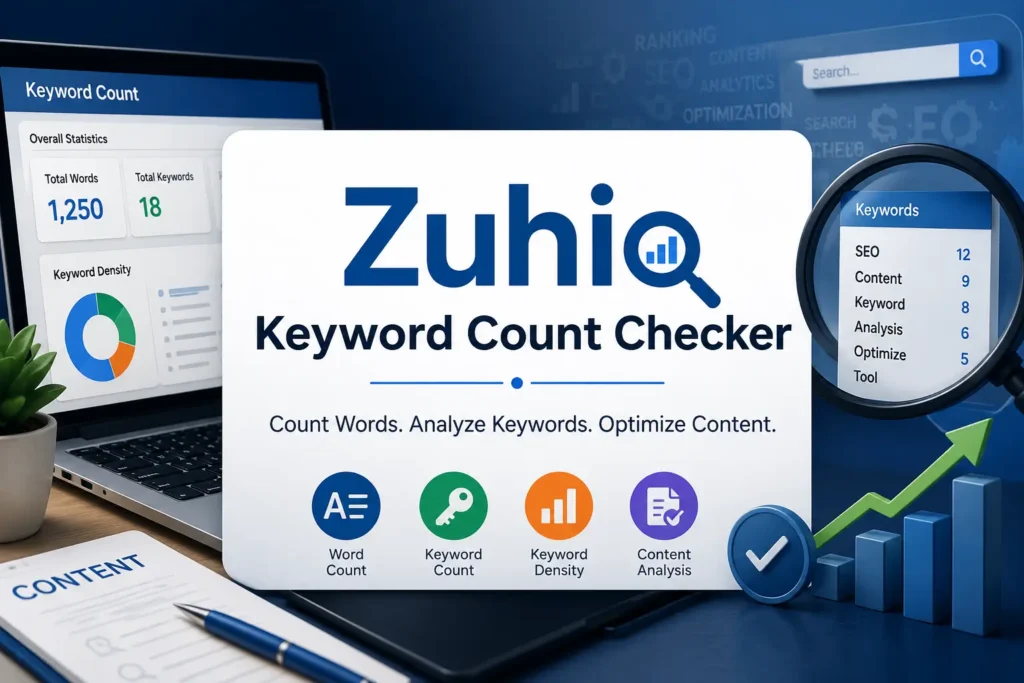
The Zuhio Keyword Count Checker is a free online tool that scans your content and shows how many times a specific keyword appears, along with its density as a percentage of total word count.
It is designed for writers, bloggers, and SEO professionals who want a quick, no-setup way to check keyword balance before publishing. At its core, this is a keyword frequency checker. You paste your content, enter the keyword you want to track, and the tool returns two things: how many times the keyword appears and its density as a percentage of total words.
It does not analyze backlinks. It does not audit your site technically. It does not suggest content topics or pull search volume data. What it does, it does simply and quickly.
In modern SEO, keyword balance is essential. Search engines still rely on relevance signals to understand content, but readers expect writing to feel natural. The Keyword Count Checker helps you achieve both at the same time.
Tools like the Keyword Count Checker help writers find the right balance between underusing and overusing keywords. If a keyword appears too little, search engines may not clearly understand your topic. If it appears too often, the content can feel repetitive and over-optimised.
That balance is exactly what this tool helps you find.
How the Zuhio Keyword Count Checker Works
The process is straightforward. No learning curve. No technical setup required.
The Zuhio Keyword Count Checker scans a piece of text you paste into it and tells you how many times each keyword appears. It lives at zuhio.com under the Keyword Count Checker section. The tool is publicly accessible and does not appear to require account creation to use.
Here is the basic workflow:
Step 1: Open the Keyword Count Checker in your browser.
Step 2: Paste your full article or content into the text field.
Step 3: Enter the specific keyword or phrase you want to analyse.
Step 4: Click the check or analyse button.
Step 5: Review the results: keyword count and density percentage.
The output typically includes raw counts, keyword density percentages, and sometimes the identification of unique keywords, offering a quantitative snapshot of a document’s lexical makeup.
The tool processes input either directly pasted text or content fetched from a URL and generates a detailed report on the frequency of every word or specified keyword.
In seconds, you know whether your keyword is appearing enough times to signal relevance to Google or too many times to read naturally.
Key Features of the Zuhio Keyword Count Checker
For a focused, single-purpose tool, the Keyword Count Checker packs meaningful features that directly support content optimisation.
Instant Keyword Counting: Quickly analyse keyword frequency and density in your content. The result appears in seconds no waiting, no loading screens.
Keyword Density Percentage: Along with the raw count, the tool shows what percentage of your total word count the keyword represents. This is the most important metric for avoiding both under-optimisation and keyword stuffing.
Total Word Count Display: Along with the keyword count, Zuhio shows the total number of words in your content. This lets you calculate keyword density manually if needed, giving you full visibility into your text.
Multi-Keyword Tracking: Track multiple keywords at once. Add keywords below and click Run All to see counts for each. This is especially useful when you are targeting a primary keyword and several secondary or LSI keywords in the same piece.
Content Score: See a simple SEO score to measure content quality. This gives writers a clear benchmark for whether their content is ready to publish from a keyword balance perspective.
Competitor Insight: Compare keyword usage with top-ranking pages. By inputting competitor URLs into the Keyword Count Checker, SEO professionals can observe the frequency and distribution of their target keywords and related terms. This analysis can inform adjustments to your own content strategy.
No Complex Setup: No complex setup. No steep learning curve. This makes it accessible to complete beginners who are just starting to learn SEO, as well as experienced professionals who need a quick sanity check.
Why Keyword Frequency Matters for SEO Success
To understand why the Zuhio Keyword Count Checker matters, you need to understand why keyword frequency is a critical SEO signal.
One of the most important aspects of on-page SEO is understanding how frequently target keywords appear within your content. Keywords signal to search engines what your page is about and help determine whether it should appear in search results for a particular query.
Here is why keyword frequency directly impacts your rankings:
It tells Google what your page is about: If your target keyword appears only once in a 1500-word article, Google may not register it as a strong relevance signal. Strategic repetition, natural and contextually placed, reinforces your topic to search algorithms.
It affects readability and user experience: Content written primarily for a density target tends to feel repetitive to readers. And reader behaviour, including time on page and engagement, feeds back into how content performs in rankings. Keyword frequency must be balanced with natural language.
It prevents over-optimisation penalties: Keyword stuffing repeating a keyword unnaturally many times triggers Google penalties that drop your page from rankings entirely. Checking frequency before publishing prevents this entirely avoidable mistake.
It supports semantic SEO: Modern Google does not just count keyword repetitions. It looks for related terms, synonyms, and contextually relevant language. The Keyword Count Checker helps you ensure your primary keyword is present at the right frequency while you layer in secondary keywords around it naturally.
The data derived from the Keyword Count Checker supports several critical areas within SEO and content creation. Before publishing or updating content, checking keyword counts helps ensure that target terms are adequately represented, not about achieving an arbitrary ideal density, but about verifying that primary and secondary keywords appear with sufficient frequency to signal thematic relevance to search engines.
Who Should Use the Zuhio Keyword Count Checker?
The tool is built for everyone who creates SEO content. But certain groups get the most immediate value.
Keyword analysis tools such as the Keyword Count Checker are commonly used by bloggers, content writers, SEO professionals, and website owners. These tools play an important role in content optimisation workflows, helping writers refine their articles before publishing.
Here is a breakdown by user type:
Bloggers and Content Writers: If you write blog posts regularly and want to make sure your target keyword is properly distributed throughout your article without sounding robotic, the Keyword Count Checker is an essential pre-publish step.
SEO Professionals: For SEOs managing multiple clients or websites, this tool provides a fast, reliable way to audit keyword balance across large volumes of content without running a full platform audit every time.
Digital Marketers: When managing content campaigns across multiple channels, marketers use the Zuhio Keyword Count Checker to ensure every piece of content meets basic keyword optimisation standards before going live.
Website Owners: Small business owners in the USA who write their own website content but are not full-time SEO professionals benefit enormously from this tool. It provides professional-level keyword insights without requiring expensive software subscriptions.
Beginners Learning SEO: It is also a good fit for anyone newer to SEO who wants a simple way to understand keyword frequency without learning a complex platform, or anyone needing a quick sanity check on keyword placement without a full site audit.
How to Use Zuhio Keyword Count Checker Step by Step
Here is the complete process for using the tool effectively as part of your content workflow.
Step 1: Write your content first: Always write your article naturally before checking keyword frequency. Writing for a density target from the start produces robotic, unreadable content. Write for humans first. Check density second.
Step 2: Identify your primary keyword: Know which keyword you are targeting before you open the tool. This should be the main phrase you want the article to rank for, for example, “keyword density checker” or “on-page SEO optimisation.”
Step 3: Paste your full content: Copy your entire article and paste it into the Keyword Count Checker text field. Make sure you include the complete content introduction, body, and conclusion.
Step 4: Enter your target keyword: Type your primary keyword exactly as it appears in your content. For multi-word phrases, enter the full phrase. The tool will count every exact instance.
Step 5: Review your results: Check the raw keyword count and the density percentage. Most SEO professionals recommend keeping keyword density between 1% and 2% of total word count. If you are below 1%, add the keyword naturally in a few more places. If you are above 2%, review the article and replace some instances with synonyms or related phrases.
Step 6: Check secondary keywords: Use the multi-keyword tracking feature to check your LSI and secondary keywords. Secondary keywords should appear naturally throughout the content without a specific density target.
Step 7: Adjust and recheck: Make your adjustments. Paste the updated content back into the tool. Confirm the new density is within the ideal range. Then publish with confidence.
Use keyword count data as a diagnostic check, not a scorecard. These are directional guidelines, not fixed rules.
Zuhio Keyword Count Checker vs Other SEO Tools
Understanding where Zuhio fits in the larger SEO tool ecosystem helps you use it correctly.
A simple keyword counter, while useful for a singular task, often falls short when confronted with the complexities of competitive analysis, comprehensive rank tracking, and strategic keyword research necessary for sustained organic growth.
Here is a clear comparison:
Keyword Count Checker: Free. Instant. No account needed. Does one thing extremely well: shows keyword frequency and density. Perfect for pre-publish content checks. Not built for keyword research, rank tracking, or backlink analysis.
Yoast SEO (WordPress plugin): Built into WordPress. Provides real-time keyword density feedback as you write. More integrated but limited to WordPress users. Zuhio works on any content regardless of platform.
SEMrush and Ahrefs: Comprehensive SEO platforms covering keyword research, rank tracking, backlink analysis, and site audits. Powerful but complex and expensive. Zuhio is the quick, free alternative for the specific task of keyword frequency checking.
Google Search Console: Free and excellent for tracking how your published content performs in search. Does not help with pre-publish keyword checking. Zuhio fills this pre-publish gap.
The conclusion is clear: Zuhio Keyword Count Checker is not trying to replace comprehensive SEO platforms. It solves one specific problem, keyword balance checking better than any complex tool does, because it is built exclusively for that purpose.
When seeking alternatives to a basic keyword count checker, the focus shifts to comprehensive SEO platforms. But for the specific task of checking keyword frequency before publishing, Keyword Count Checker remains the fastest and simplest option available.
Common Keyword Mistakes Zuhio Keyword Count Checker Helps You Avoid
Even experienced content creators make keyword mistakes that the Keyword Count Checker catches instantly.
Keyword stuffing: Repeating a keyword unnaturally many times to manipulate rankings. Google detects this and penalises the page. Zuhio shows you the exact density percentage, so you know immediately when you have crossed the line.
Keyword underuse: Publishing content where the target keyword appears only once or twice in a 2000-word article. Google may not register the keyword as strongly relevant. Zuhio shows when you need to add a few more natural instances.
Uneven keyword distribution: Placing your keyword only in the introduction and nowhere else. Zuhio helps you spot this pattern so you can redistribute the keyword more evenly throughout headings, body paragraphs, and the conclusion.
Ignoring secondary keywords: Focusing only on the primary keyword and forgetting LSI and secondary keywords. Zuhio’s multi-keyword tracking lets you check all of them in one session.
Publishing without checking: The most common mistake is hitting publish without ever checking keyword frequency. The Keyword Count Checker takes less than 60 seconds to run. There is no excuse for skipping it.
How Rank With Mahnoor Uses Keyword Optimisation for Your SEO Growth
At Rank With Mahnoor, keyword optimisation is not a last-minute step. It is built into every piece of content we create for USA businesses.
Here is exactly how we approach it:
- In-depth keyword research to identify primary, secondary, and LSI keywords for every piece of content
- Strategic keyword mapping: one primary keyword per page with no overlap
- Pre-publish keyword density checks using tools including the Keyword Count Checker
- On-page SEO optimisation covering titles, meta descriptions, headings, and body content
- Natural keyword integration that reads well for humans and ranks well for Google
- Semantic SEO writing that covers full topic areas, not just repeating single keywords
- Monthly content audits to identify and fix keyword imbalance across existing pages
- Transparent monthly reporting showing exactly how keyword optimisation improvements translate into ranking growth
Keyword optimisation done correctly is one of the highest-return SEO activities you can invest in. It does not require expensive tools or complex technical knowledge. It just requires the right process and the right team executing it consistently.
Ready to optimise your content for SEO success? Contact Rank With Mahnoor today.
Frequently Asked Questions
Q1: What is the Zuhio Keyword Count Checker?
It is a free online tool that scans your content and shows how many times a specific keyword appears along with its density percentage to help you optimise content before publishing.
Q2: Is the Zuhio Keyword Count Checker free to use?
Yes. It is a completely free web-based tool that requires no account creation or software installation to access and use.
Q3: What is a good keyword density for SEO?
Most SEO professionals recommend keeping keyword density between 1% and 2% of total word count. The Zuhio tool helps you hit this range naturally.
Q4: Can Zuhio Keyword Count Checker detect keyword stuffing?
Yes. By showing exact keyword frequency and density percentage, it instantly reveals whether a keyword is overused so you can fix it before Google penalises your content.
Q5: Does Zuhio Keyword Count Checker work for long-tail keywords?
Yes. You can enter single keywords or multi-word phrases, and the tool counts every exact instance of that phrase appearing in your content.